Product Updates
Thousands of Free Wallpapers and Music — Now Built Into Highlight Studio
Browse Pexels wallpapers for backgrounds and Freesound music for your timeline — without leaving the editor.
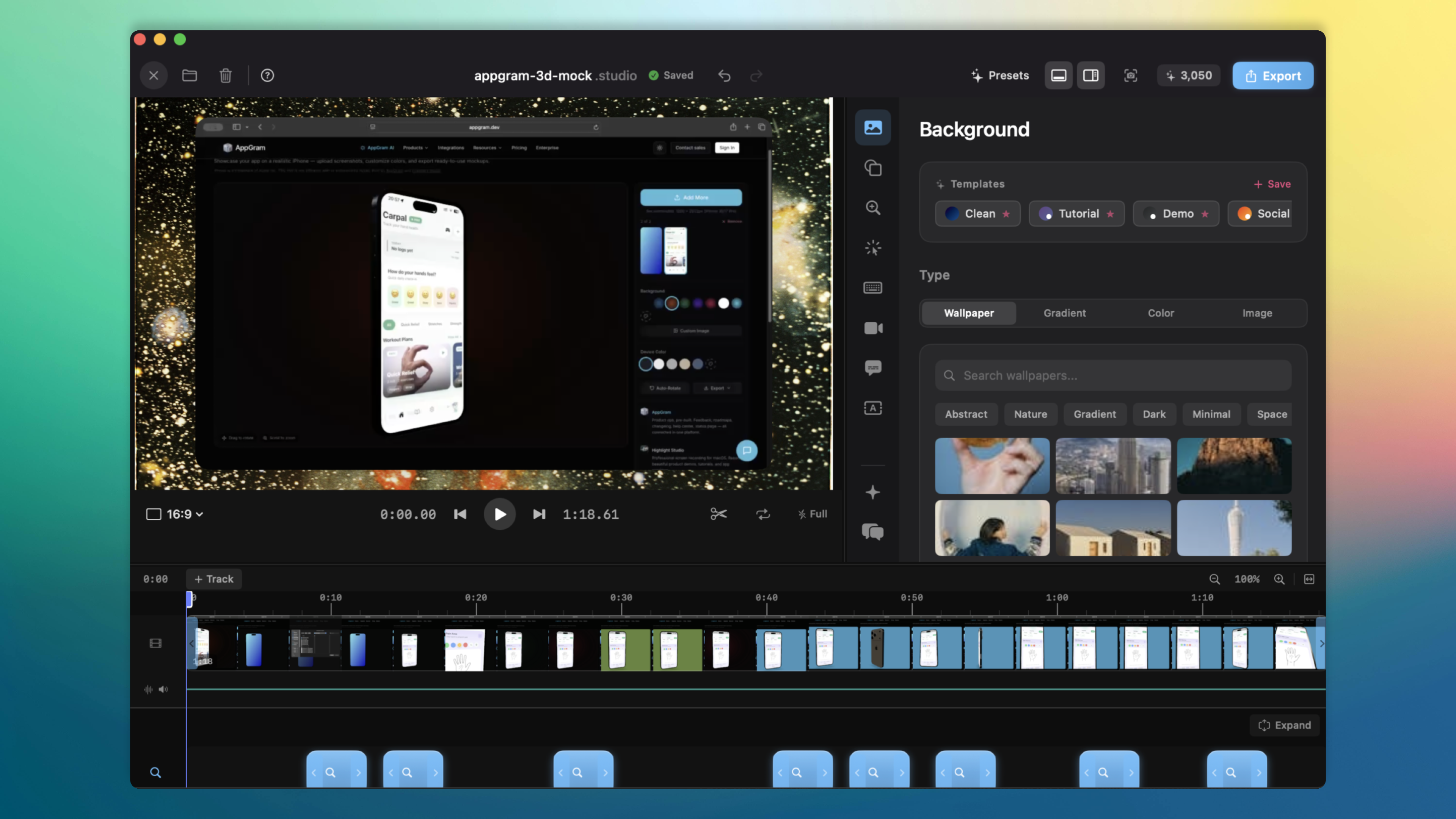
Finding the right background or background music for a screen recording has always meant leaving your editor, searching the web, downloading files, and importing them back. Today we're cutting all of that out.
Pexels Wallpapers — Right in the Background Panel
The Background settings panel now opens with a new Wallpaper tab — powered by Pexels. Thousands of high-quality, royalty-free photos are available instantly.
Here's how it works:
Browse curated photos — a hand-picked selection loads immediately when you open the tab
Search anything — type "abstract", "dark gradient", "ocean sunset" and get results in under a second
Quick tags — one-click filters for popular themes like Abstract, Nature, Dark, Minimal, Space, and Ocean
Infinite scroll — keep scrolling and new pages load automatically
When you click a wallpaper, Highlight Studio downloads the original resolution image (often 5000px+ wide) so your exports stay crisp even at 4K. Downloaded images are cached locally for offline use, and switching wallpapers automatically cleans up the old file so your disk doesn't fill up.
This works in both the video editor and the screenshot editor — same experience in both places.
Freesound Music Browser — Add Audio in Two Clicks
The timeline's + Track menu now includes a Browse Free Music option. It opens a built-in browser powered by Freesound.org — a massive Creative Commons audio library.

The workflow is simple:
Click + Track → Browse Free Music
Search or pick a quick tag (Ambient, Piano, Lo-fi, Cinematic, etc.)
Hit the play button to preview any track — audio streams directly, no download needed
Click + Add to insert it at the playhead position
The track downloads, gets added to your timeline as an audio track, and you can trim, adjust volume, or reposition it like any other track. Files are saved locally so they work offline after the first download.
Why This Matters
Screen recordings and tutorials feel more polished with a thoughtful background and subtle background music. But the friction of sourcing these assets meant most people just shipped with the default. Now there's zero friction — it's all inside the editor, royalty-free, and takes seconds.
Both integrations are available now in the latest version of Highlight Studio.
features · backgrounds · music · pexels · freesound